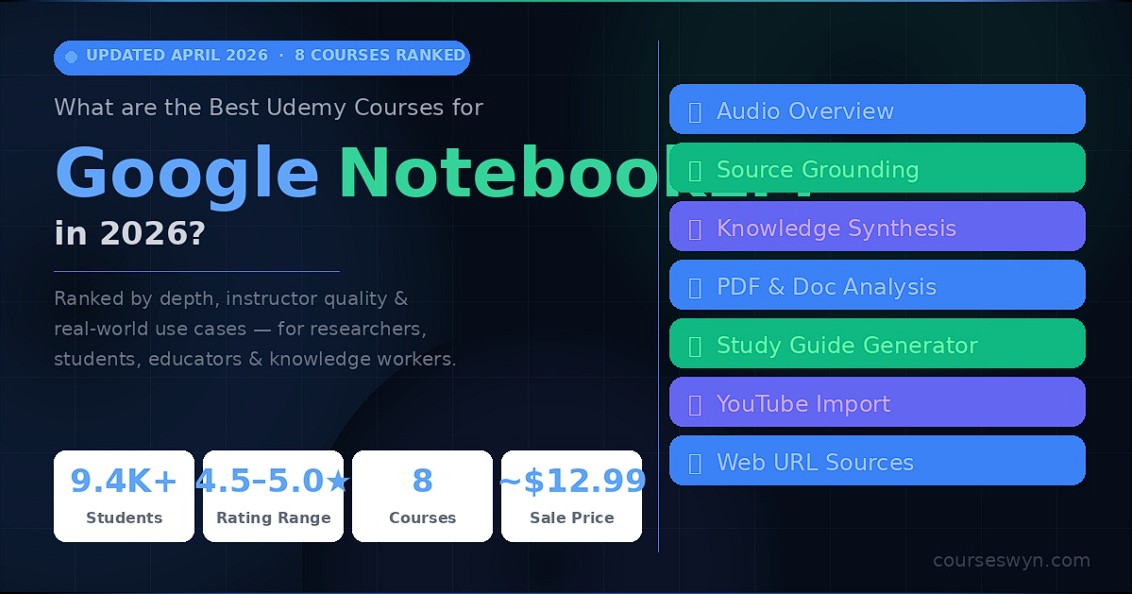
Updated April 2026 · 8 Courses Ranked
Google NotebookLM has quietly become one of the most powerful AI tools for researchers, students, educators, and knowledge workers. We reviewed every major NotebookLM course on Udemy — ranked by practical depth, instructor quality, and real-world use case coverage.
- Total Students: 9.4K+
- Rating Range: 4.5–5.0★
- Courses Ranked & Reviewed: 8
- Flash Sale Price: ~$12.99
Key Skills You’ll Learn: AI podcast generation from any document · Multi-source document analysis · Personal AI second brain setup · Faster research with source grounding · Large knowledge base summarization
⚡ Best Udemy NotebookLM Courses — Quick Picks
| Goal | Best Course |
|---|---|
| 🏆 Best Overall (Practical Workflows) | #1 Master NotebookLM — Alan Slater |
| 🎙️ Best for Podcast Generation | #2 NotebookLM Masterclass — DFA Course Academy |
| 📚 Best for Researchers & Writers | #3 Mastering NotebookLM — Andrew Williams |
| ⚡ Best Quick Start (1 Hour) | #4 NotebookLM: GenAI — Scott Duffy |
| 🌟 Highest Rated Knowledge Mgmt | #5 AI-Powered Knowledge Mgmt — Louay Zambarakji |
| 🆕 Best New Release (4.9★) | #6 Master GenAI NotebookLM — IEM Learning |
| 🧠 Best Gemini Ecosystem | #7 Gemini & NotebookLM Masterclass — Dinçer Aydın |
| 💯 Perfect 5.0★ Score | #8 NotebookLM Masterclass — Asim Lodhi |
What Is Google NotebookLM — and Why Is Everyone Talking About It?
If you haven’t used NotebookLM yet, here’s the simplest way to explain it: imagine being able to upload any document, YouTube video, website, PDF, or Google Doc — and then have a conversation with all of it at once. Ask questions, get summaries, generate study guides, create audio overviews (podcasts), and pull cited insights — all grounded in your own source material.
Built by Google on top of Gemini, NotebookLM is free to use at a base level and has become the go-to AI tool for researchers, students, writers, teachers, and consultants who work with large amounts of information every day. Unlike generic chatbots, it only draws from the sources you give it — which means no hallucinations from outside the context, and every answer is traceable to a specific source.
🎙️ Audio Overview (Podcast)
Turn any set of documents into a natural-sounding AI podcast. Two AI hosts discuss your material conversationally — perfect for learning while commuting.
📎 Source-Grounded Q&A
Ask anything about your sources and get answers with exact citations. Every response links back to the specific document and passage it came from.
🧠 Knowledge Synthesis
Combine dozens of sources and ask cross-document questions. NotebookLM synthesizes patterns, contradictions, and insights across everything you upload.
Who benefits most from learning NotebookLM properly? Researchers who need to synthesize literature quickly. Students preparing for exams from lecture notes and textbooks. Writers doing source-heavy investigative work. Teachers building lesson materials. Business professionals managing large document archives. If you work with knowledge for a living, NotebookLM is worth learning deeply — not just clicking around.
✅ How We Ranked These NotebookLM Courses
- Instructor credibility: Real practitioners with documented AI teaching experience.
- Feature coverage: Does the course cover Audio Overview, source grounding, Gemini integration, and NotebookLM Plus?
- Practical use cases: Real workflows — not just interface tours. Research, writing, teaching, and business applications.
- Student ratings: Minimum 4.5 stars, cross-verified against written review sentiment.
- 2026 relevance: Coverage of the latest NotebookLM features — interactive mind maps, expanded source types, Gemini 2.0 integration.
Pricing Tip — Read Before Enrolling: Every course below is listed at $79–$129 retail. Udemy flash sales — which run nearly every week — bring all of them to $11.99–$12.99. Check our active coupon page before enrolling to make sure you’re getting the discounted price.
#1 — Master NotebookLM: The Ultimate in AI NoteTaking (2026)
🥇 Most Practical Workflow Course — Alan Slater

4.6★ / 5.0 · 2,460 students · 4 hours
Alan Slater’s course earns the top spot for one reason: it’s built around real workflows, not feature tours. Rather than just showing you what NotebookLM can do, this course integrates it with the tools you already use — YouTube, ChatGPT, Google Drive — and shows you how to weave them into a seamless research and learning system.
With 2,460 students and a consistent Best Seller badge, it has the largest validated student base of any dedicated NotebookLM course. The 4-hour runtime is intentionally lean — every section is practical, skipping the fluff that inflates other courses to 10+ hours without adding proportional value.
- ✅ YouTube Integration: Import and analyze video transcripts directly — no copy-pasting required. Query any YouTube content as a grounded source.
- ✅ ChatGPT + NotebookLM Workflow: Teaches the hybrid approach — when to use each tool, and how to combine outputs for research tasks.
- ✅ Accelerated Learning System: Covers study techniques — how to use Audio Overviews, study guides, and Q&A to compress learning time significantly.
- ✅ Research Workflow: End-to-end research pipeline from source collection through synthesis to final output — taught with real projects.
Retail: $119.99 | Flash Sale: ~$12.99
👉 Get This Course — Lock In Your Discount
#2 — NotebookLM Masterclass: Transform Your Learning with AI
🎙️ Best for Podcast Generation & Document Analysis — DFA Course Academy

4.6★ / 5.0 · 2,232 students · 7 hours
At 7 hours, this is one of the more comprehensive courses on the list. DFA Course Academy covers the full NotebookLM workflow from zero — with particular depth on AI podcast creation (Audio Overviews), document analysis across multiple file types, and note management at scale. If podcast-style learning generation is important to your workflow, this course covers it more thoroughly than any other.
- ✅ Complete start-to-finish NotebookLM walkthrough — ideal for total beginners
- ✅ Deepest Audio Overview / podcast generation coverage on this list
- ✅ Multi-source analysis: PDFs, Google Docs, URLs, and YouTube transcripts
- ✅ Note organization workflows for managing large knowledge projects
Retail: $109.99 | Flash Sale: ~$12.99
#3 — Mastering NotebookLM: Organize, Analyze, and Learn with AI
📚 Best for Researchers, Writers, Teachers & Creators — Andrew Williams

4.6★ / 5.0 · 1,284 students · 7 hours
Andrew Williams positions this course squarely for knowledge creators — the people who don’t just consume information but produce it. Researchers managing literature reviews, writers handling source-heavy projects, teachers building curriculum, and content creators synthesizing ideas across domains will find the use case focus here more relevant than any other course on the list.
- ✅ Researcher-specific workflows: literature review, citation management, gap analysis
- ✅ Teacher & educator use cases: lesson plan building, student Q&A preparation
- ✅ Writer workflows: source synthesis, consistency checks, research-to-draft pipeline
- ✅ NotebookLM as an AI-powered knowledge hub — long-term knowledge management
Retail: $109.99 | Flash Sale: ~$12.99
#4 — NotebookLM: Generative AI Interacting with Your Own Data
⚡ Best Quick Start — Scott Duffy (Google Cloud Expert)

4.5★ / 5.0 · 2,494 students · 1 hour
Scott Duffy is a well-known Google Cloud instructor on Udemy with a strong technical background. His NotebookLM course is the shortest on this list at 1 hour — and intentionally so. It’s a precision-focused introduction designed to get professionals productive in the shortest possible time, with emphasis on the underlying Gemini technology and data interaction model. If you want to understand how NotebookLM works under the hood, not just how to click through it, this is the course.
- ✅ Technical context: how Gemini powers NotebookLM’s grounding and retrieval
- ✅ Highest enrollment on this list — 2,494 verified students
- ✅ Perfect for busy professionals who need a fast, accurate introduction
- ✅ Data analysis and ML playground use cases covered with real examples
Retail: $79.99 | Flash Sale: ~$11.99
Courses #5–8: Specialized & High-Rated Picks
Smaller enrollments, but each earns its spot for a specific reason — rating, depth, or unique angle.
Course #5 — Google NotebookLM: Master AI-Powered Knowledge Management
🌟 Highest Rated Badge — Louay Zambarakji

593 students · 4.6★ · 2 hours
Louay’s course carries Udemy’s Highest Rated badge — meaning its rating is among the top in its category relative to its age. At 2 hours, it’s focused specifically on knowledge management and research summarization: how to build structured, queryable knowledge bases from scattered sources, and how to use NotebookLM’s insights engine to pull out what matters.
Retail: $109.99 | Flash Sale: ~$12.99
Course #6 — Master Generative AI with Google NotebookLM
🆕 4.9★ New Release — IEM Learning

51 students · 4.9★ · 1 hour
With only 51 students but a 4.9-star rating, this is the highest-rated course on the list by a significant margin. New releases with near-perfect scores from early adopters often signal genuinely good quality before enrollment catches up. Focused on practical NotebookLM skills for research, summarization, knowledge synthesis, and review — compact and efficient.
Retail: $79.99 | Flash Sale: ~$12.99
Course #7 — Google Gemini & NotebookLM: All-in-One AI Masterclass 2026
🧠 Gemini 2.0 Focus — Dinçer Aydın

68 students · 4.9★ · 7 hours
The most ambitious course on this list — 7 hours covering both Gemini and NotebookLM together, plus prompt engineering basics and the “second brain” concept. It’s the only course that treats NotebookLM as part of a broader Gemini-powered AI workflow rather than a standalone tool. If you want to understand where NotebookLM fits inside Google’s full AI ecosystem, this is the course for that.
Retail: $129.99 | Flash Sale: ~$12.99
Course #8 — NotebookLM Masterclass: Transform Your Learning with AI
💯 Perfect 5.0★ Score — Asim Noaman Lodhi

853 students · 5.0★ · 2 hours
A perfect 5.0 rating from 853 students is genuinely rare on Udemy at any enrollment level. Asim’s course covers the same YouTube and ChatGPT integration workflow as Course #1 but from a different pedagogical angle — and its near-perfect student satisfaction signals exceptionally clear instruction. At 2 hours, it’s an efficient path to productive NotebookLM use with a track record that speaks for itself.
Retail: $109.99 | Flash Sale: ~$12.99
📊 All 8 NotebookLM Courses — Side by Side
| # | Course | Best For | Rating | Students | Length |
|---|---|---|---|---|---|
| 1 | Master NotebookLM (Alan Slater) | Practical workflows + YouTube + ChatGPT | 4.6★ | 2,460 | 4 hrs |
| 2 | NotebookLM Masterclass (DFA Academy) | Podcast generation, full beginner path | 4.6★ | 2,232 | 7 hrs |
| 3 | Mastering NotebookLM (Andrew Williams) | Researchers, writers, teachers, creators | 4.6★ | 1,284 | 7 hrs |
| 4 | NotebookLM: Generative AI (Scott Duffy) | Fast professionals, technical context | 4.5★ | 2,494 | 1 hr |
| 5 | AI-Powered Knowledge Mgmt (Louay Z.) | Knowledge management, research summaries | 4.6★ | 593 | 2 hrs |
| 6 | Master GenAI w/ NotebookLM (IEM) | Compact & highest rated new release | 4.9★ | 51 | 1 hr |
| 7 | Gemini & NotebookLM Masterclass 2026 | Full Gemini ecosystem + second brain | 4.9★ | 68 | 7 hrs |
| 8 | NotebookLM Masterclass (Asim Lodhi) | Perfect satisfaction score, concise | 5.0★ | 853 | 2 hrs |
Which NotebookLM Course Is Right for You?
Not everyone comes to NotebookLM for the same reason. Here’s the honest breakdown by role and goal.
🎓 Students & Lifelong Learners
You want to compress study time, turn lecture notes into study guides, and generate audio overviews to learn while doing other things.
Start with: Course #1 (Alan Slater) or Course #8 (Asim Lodhi — 5.0★)
🔬 Researchers & Academics
You need to manage large document sets, do literature reviews, synthesize across dozens of sources, and produce cited outputs quickly.
Start with: Course #3 (Andrew Williams — researcher-specific) or Course #5 (Louay — knowledge management)
💼 Busy Professionals
You don’t have hours to spend. You want to understand what NotebookLM can do for you in the fastest possible time and start using it today.
Start with: Course #4 (Scott Duffy — 1 hour) or Course #6 (IEM Learning — 1 hour, 4.9★)
🌐 Google Ecosystem Power Users
You’re already using Google Workspace and want to understand how NotebookLM integrates with Gemini, Google Drive, Docs, and the broader AI ecosystem.
Start with: Course #7 (Dinçer Aydın — Gemini + NotebookLM all-in-one)
✍️ Writers, Teachers & Content Creators
You produce content from research — articles, lessons, reports, videos — and want to use NotebookLM to dramatically speed up the research-to-output pipeline while maintaining source integrity.
Start with: Course #3 (Andrew Williams) → then Course #2 (DFA Academy — deepest podcast/audio coverage)
🌏 NotebookLM Is Free — and These Courses Are Affordable Everywhere
One of the most compelling things about learning NotebookLM in 2026 is that the tool itself is free (with a generous base tier). You only pay for the Udemy course to learn it properly and fast. And with Udemy’s Purchasing Power Parity pricing, learners in Indonesia, India, Brazil, and other markets pay significantly less than the US price.
| Country | Flash Sale Price |
|---|---|
| 🇮🇩 Indonesia | Rp 129K–179K |
| 🇮🇳 India | ₹449–₹649 |
| 🇧🇷 Brazil | R$49–R$69 |
| 🇺🇸 United States | $11.99–$12.99 |
🇮🇩 Khusus untuk pelajar Indonesia: NotebookLM adalah alat AI yang sangat berguna untuk mahasiswa, peneliti, dan profesional yang bekerja dengan banyak dokumen. Dengan harga kursus Udemy yang sudah disesuaikan dengan daya beli lokal, ini adalah salah satu investasi belajar AI paling terjangkau yang bisa kamu ambil di 2026. NotebookLM sendiri gratis — kamu hanya membayar untuk belajar cara menggunakannya secara optimal.
Frequently Asked Questions
Is Google NotebookLM free to use?
Yes. NotebookLM has a free tier that gives you access to core features: source-grounded Q&A, Audio Overview generation, study guides, and note creation. NotebookLM Plus is a paid upgrade with higher usage limits, longer audio overviews, and priority access. For most learners and professionals, the free tier is more than enough to start.
Do I need any technical skills to learn NotebookLM?
None whatsoever. NotebookLM is a no-code tool with a clean, browser-based interface. All 8 courses on this list assume zero technical background. If you can use Google Drive, you can use NotebookLM. The courses teach you how to get the most out of it — not how to build it.
What file types can NotebookLM work with?
NotebookLM supports PDFs, Google Docs, Google Slides, text files, web URLs, YouTube video links (via transcript), and copied text. In 2026, Google has been steadily expanding supported source types. The courses on this list, particularly Courses #1 and #2, cover multi-source workflows across all major file types.
Which course is best if I’m a student preparing for exams?
Course #1 (Alan Slater) and Course #8 (Asim Lodhi — 5.0★) are both excellent for students. They specifically cover using NotebookLM’s study guide generator, Q&A mode, and Audio Overview for exam preparation — turning lecture notes, textbooks, and research papers into structured study materials and listenable audio summaries.
How is NotebookLM different from ChatGPT or Claude?
The key difference is source grounding. ChatGPT and Claude draw from their general training data, which can lead to hallucinations or answers not tied to specific documents. NotebookLM only answers from the sources you give it — every response is traceable to a specific passage in your uploaded materials. It’s less of a general-purpose chatbot and more of a personal research assistant built around your own knowledge base.
Are these courses regularly updated as NotebookLM gets new features?
NotebookLM is evolving rapidly — Google has added interactive mind maps, expanded source types, Gemini 2.0 integration, and improved Audio Overviews throughout 2025–2026. The courses ranked #1 through #4 have been updated at least once in the past 6 months. Courses #6–8 are new 2026 releases built from scratch on the current feature set. Always check the “Last Updated” date on the Udemy course page before enrolling.
Can I get a refund if the course isn’t what I expected?
Yes. Every Udemy course comes with a 30-day money-back guarantee, no questions asked. At $11.99–$12.99 during a flash sale, the risk of trying any course on this list is extremely low — and if it doesn’t meet your expectations, you can request a full refund within 30 days.
Stop Drowning in Documents. Start Using NotebookLM Properly.
The tool is free. The courses are under $13 during a flash sale. There’s no good reason to keep manually sifting through PDFs and research papers when NotebookLM can do the heavy lifting — if you know how to use it well.
👉 #1 Best Course — Start Here · Check Active Coupons First
Disclosure: This page contains affiliate links. We earn a commission at no extra cost to you. All courses carry a 30-day money-back guarantee.