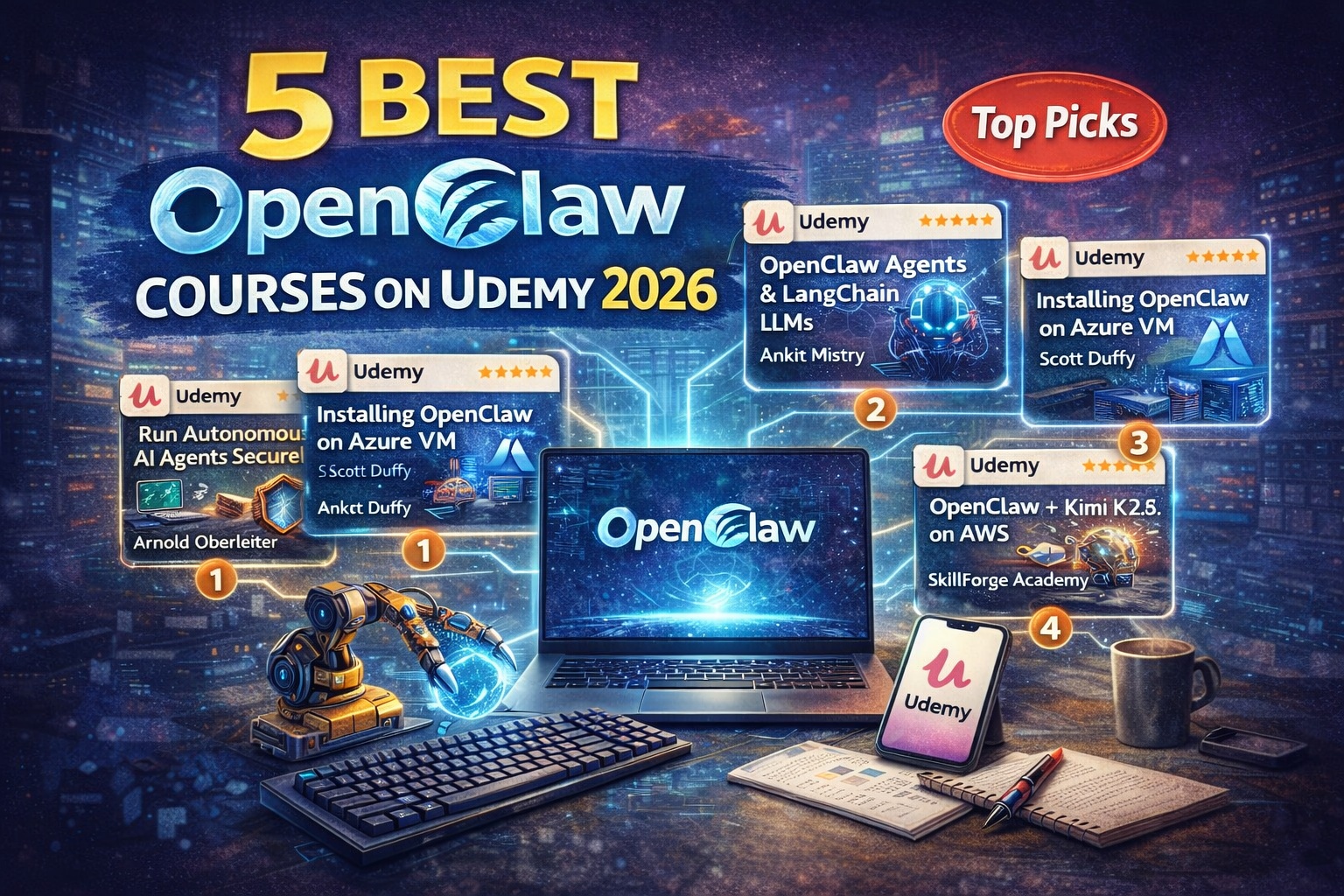
OpenClaw has become the #1 most-starred project on GitHub, overtaking React and Linux. One developer’s autonomous agent negotiated $4,200 off a car purchase while he slept. Another filed a legal insurance dispute rebuttal without explicit instruction. If you want to deploy OpenClaw properly and safely, you need more than a GitHub README.
This guide evaluates the 8 highest-rated Udemy courses for mastering OpenClaw, based on curriculum depth, security coverage, instructor expertise, real-world project outcomes, and practical applicability.
Why Learn OpenClaw in 2026?
OpenClaw (formerly ClawdBot) represents the next generation of autonomous AI — persistent background processes that integrate with your messaging platforms (WhatsApp, Telegram, Slack, Discord) and perform tasks proactively on your behalf, 24/7.
Unlike traditional chatbots that respond only to direct queries, OpenClaw maintains persistent memory across sessions, understands context, and takes initiative to accomplish objectives — negotiating with external services, filing documents, monitoring information sources, and managing workflows entirely autonomously.
According to developer reports, properly configured OpenClaw agents achieve automation outcomes equivalent to hiring a full-time employee — with costs under $15/month. However, this capability brings genuine security and operational challenges that official documentation does not adequately address. In early 2026, security researchers identified 21,000+ unsecured OpenClaw instances on the public internet.
How We Selected These Courses
Our selection criteria ensure comprehensive, high-quality recommendations:
- Verified ratings ≥4.0 and minimum 15 enrollments (as of March 2026)
- Updated January–March 2026 (reflects current OpenClaw architecture, security practices, LLM integrations)
- At least 50% curriculum focused on OpenClaw practical application (not just general agentic AI theory)
- Real-world projects and deployment scenarios rather than conceptual walkthroughs
- Renowned instructors with active student engagement
- Production-focused content including security hardening, cloud deployment, cost optimization
OpenClaw in 2026: What Actually Matters (Expert Perspective)
By 2026, the biggest mistake learners make with OpenClaw is treating installation as the entire learning curve.
In production environments, autonomous agent deployment requires far more than running a setup script:
- Security hardening – SSH configuration, firewall rules, API key management, safe skill installation
- Soul architecture – Understanding persistent persona configuration (Soul, Identity, User, Agent files)
- LLM selection – Choosing between Claude Opus (99% prompt injection resistance), Sonnet (best value), GPT-4o, Kimi K2.5, or local Ollama
- Cloud deployment patterns – VPS provisioning, containerization, cost optimization, monitoring
- Agentic code orchestration – Enabling autonomous agents to write and modify their own code
- Skill ecosystem safety – Evaluating which community skills are safe to install, detecting malicious code
Most tutorials demonstrate what OpenClaw can do. The courses ranked below were selected based on how well they teach production-grade autonomous agent deployment, not just feature demonstrations.
Best Udemy OpenClaw Courses (2026)
1. OpenClaw: Run Powerful & Autonomous AI Agents Securely (Arnold Oberleiter)
Why This Course Ranks #1 in 2026
This course ranks #1 because it uniquely treats OpenClaw as a production infrastructure challenge, not just a feature to activate.
It stands out for:
- Deep security hardening coverage (SSH, UFW, API keys, skill safety)
- Soul architecture mastery for autonomous operation
- Multi-LLM support (Claude, GPT, Gemini, DeepSeek, Ollama)
- Agentic code orchestration enabling self-modifying agents
- Docker containerization for multi-agent deployments
Best for: Developers seeking comprehensive mastery with production-ready security implementation.

Curriculum Highlights
- Module 1: OpenClaw Fundamentals – Architecture, components, supported LLMs
- Module 2: Soul Architecture – Persona configuration, Identity files, persistent memory
- Module 3: Security Hardening – SSH, UFW firewall, API key management, skill safety
- Module 4: LLM Integration – Claude, GPT-4o, Gemini, DeepSeek, Ollama local models
- Module 5: Advanced Orchestration – Agentic coding with Claude Code
- Module 6: Docker & Containers – Multi-agent deployment and sandboxing
- Module 7: Monitoring & Maintenance – Logging, cost optimization, long-term operation
Strengths
- Highest rating on Udemy for OpenClaw courses (4.8/5)
- Only course treating security as first-class curriculum component
- Comprehensive Soul architecture and agentic behavior coverage
- Multiple LLM backend support for cost/privacy tradeoffs
- Production-grade Docker patterns and monitoring
Learning Outcomes
Students will be able to:
- Deploy OpenClaw securely on VPS with proper hardening
- Configure Soul architecture for consistent autonomous behavior
- Select LLM backends based on security and cost requirements
- Implement safe skill installation and evaluation practices
- Build agents capable of writing and modifying their own code
- Monitor and optimize deployments for sustained operation
- Deploy multi-agent systems with Docker
Enrollment: 1,460+ | Rating: 4.8/5 (138 reviews) | Duration: 5h 46m | Lectures: 46 → Get Course: OpenClaw: Run Powerful & Autonomous AI Agents Securely
2. OpenClaw Agents, LangChain, HuggingFace, LLM & Gen AI (Ankit Mistry)
Why It’s Special
This course delivers the most comprehensive LLM stack coverage with OpenClaw as production capstone.
It uniquely delivers:
- Complete LLM developer foundation (NLP, transformers, LangChain, HuggingFace)
- Multi-cloud platforms (GCP, Azure AI, Amazon Bedrock, OpenAI)
- OpenClaw production deployment as 20-hour curriculum capstone
- 880 verified reviews from 9,827 students (sustained quality validation)
- Theory-through-implementation-to-production progression
Best for: Machine learning engineers and AI developers building complete LLM-powered systems.

Curriculum Highlights
- Module 1: NLP Foundations – Tokenization, embeddings, transformer architecture
- Module 2: LLM Architecture – How language models work, reasoning patterns
- Module 3: LangChain – Agent chains, tool integration, RAG patterns
- Module 4: HuggingFace – Model discovery, fine-tuning, deployment
- Module 5: Cloud LLM Platforms – GCP, Azure, Amazon Bedrock, OpenAI
- Module 6: OpenClaw Deployment – GCP VM setup, WhatsApp/Telegram integration
- Module 7: Real-World Automation – Market monitoring, task automation workflows
Strengths
- Most enrolled OpenClaw course (9,827 students) with high engagement
- 880 verified reviews indicate sustained learner satisfaction
- Complete LLM developer path, not just OpenClaw feature tour
- Multi-cloud architecture (not vendor-locked)
- Real-world automation examples beyond demonstrations
- Updated through 2026
Learning Outcomes
Students will be able to:
- Understand NLP fundamentals and transformer architecture
- Build LangChain agent workflows with tool integration
- Integrate HuggingFace models in applications
- Deploy on multiple cloud platforms (GCP, Azure, AWS)
- Configure production OpenClaw deployments
- Build real-world automation connecting OpenClaw to services
- Manage costs across multi-LLM environments
Enrollment: 9,827+ | Rating: 4.5/5 (880 reviews) | Duration: 20.5h | Lectures: 158 → Get Course: OpenClaw Agents, LangChain, HuggingFace, LLM & Gen AI
3. Installing OpenClaw on Azure Linux VM (Scott Duffy)
Why Choose This Course
This course provides the most focused Azure deployment path for Microsoft cloud ecosystem.
Best for: Developers using Azure infrastructure who need production-grade OpenClaw deployment.

Curriculum Highlights
- Module 1: Azure VM Setup – Resource groups, networking, security groups
- Module 2: Linux Configuration – SSH hardening, firewall, dependencies
- Module 3: OpenClaw Installation – Full setup on Azure infrastructure
- Module 4: Channel Integration – Telegram, WhatsApp, Slack connectors
- Module 5: Security Configuration – Azure networking for agents
- Module 6: Maintenance & Monitoring – Long-term operation patterns
Strengths
- Azure-specific instruction, not generic cloud guidance
- Trusted instructor with deep Azure expertise
- Complete configuration in 2 focused hours
- Every step explains why it matters for security
- 4.6/5 rating from 111 verified reviews
Learning Outcomes
- Configure Azure VMs for autonomous agent deployment
- Implement Azure networking for agent security
- Deploy fully configured OpenClaw on Azure
- Integrate Telegram, WhatsApp, Slack platforms
- Monitor and maintain Azure agent deployments
- Optimize long-term Azure infrastructure costs
Enrollment: 876+ | Rating: 4.6/5 (111 reviews) | Duration: 2h | Lectures: 19 → Get Course: Installing OpenClaw on Azure Linux VM
4. Master OpenClaw with Kimi K2.5 (SkillForge Academy)
Why It’s Unique
This is the only Udemy course pairing OpenClaw with Kimi K2.5 on AWS infrastructure.
Best for: AWS-native developers seeking alternatives to OpenAI and Anthropic.

Curriculum Highlights
- Module 1: OpenClaw Architecture – Core concepts, agent framework
- Module 2: AWS EC2 Setup – Infrastructure provisioning, configuration
- Module 3: Kimi K2.5 Integration – Moonshot model configuration and capabilities
- Module 4: Automation Workflows – Real-world OpenClaw + Kimi K2.5 scenarios
- Module 5: Production Deployment – Sustained operation on AWS
Strengths
- Only Kimi K2.5 + OpenClaw course on Udemy
- AWS-native optimization
- Cost-effective reasoning model integration
- Focused, efficient curriculum (1 hour)
Learning Outcomes
- Deploy OpenClaw on AWS EC2 with Kimi K2.5
- Leverage Kimi’s reasoning capabilities for complex tasks
- Build automated workflows with Kimi backend
- Manage costs and performance on AWS
Enrollment: 49+ | Rating: 4.1/5 (8 reviews) | Duration: 1h | Lectures: 9 → Get Course: Master OpenClaw with Kimi K2.5
5. Complete OpenClaw Setup & Automation Course (Justin Barnett & Anmol Agrawal)
Why Choose This Course
This course delivers the fastest time-to-working-agent — 33 minutes with immediately deployable automations.
Best for: Technically capable developers prioritizing rapid deployment.

Curriculum Highlights
- Remote Host Setup – GCP and AWS provisioning
- OpenClaw Installation – Complete configuration in minutes
- Three Automation Projects:
- Lunch reminder agent with cron scheduling
- Reddit scraper for market intelligence
- PDF summarization agent with file processing
- Agent Maintenance – Monitoring and troubleshooting
Strengths
- Fastest deployment on this list (33 minutes to working agent)
- Every lecture produces deployable code
- Multi-cloud coverage (GCP and AWS)
- Hands-on focus without theoretical detours
Learning Outcomes
- Provision and configure remote hosts on GCP/AWS
- Deploy production OpenClaw in under one hour
- Build three working automation agents immediately
- Monitor and maintain autonomous deployments
Enrollment: 152+ | Rating: 4.5/5 (11 reviews) | Duration: 33m | Lectures: 10 → Get Course: Complete OpenClaw Setup & Automation Course
6. OpenClaw Crash Course: Build Practical Automated AI Agents (Prudviraj Perala)
Why It’s Special
This course emphasizes architecture understanding and complete project delivery.
Best for: Project-oriented developers who learn best by building complete systems.

Curriculum Highlights
- Module 1: Agent Framework Fundamentals – Architecture and design patterns
- Module 2: File Organizer Agent – Automated file management workflows
- Module 3: Developer Assistant Agent – Code-aware automation
- Module 4: Business Assistant Agent – Document processing and summarization
- Module 5: AWS Deployment – Production infrastructure and 24/7 scheduling
- Module 6: Security Fundamentals – Essential practices for autonomous systems
Strengths
- Three complete working agents (not just configuration steps)
- Architecture-focused understanding
- AWS integration and production patterns
- Self-contained, functional projects per module
Learning Outcomes
- Understand OpenClaw agent architecture and design principles
- Build three autonomous agents for real use cases
- Deploy agents to AWS with 24/7 operation
- Implement essential security practices
- Troubleshoot and maintain autonomous deployments
Enrollment: 184+ | Rating: 4.3/5 (22 reviews) | Duration: 2h | Lectures: 13 → Get Course: OpenClaw Crash Course: Build Practical Automated AI Agents
7. Easy OpenClaw: Create An Employee Who Works for Free (Steve Alcorn)
Why Choose This Course
This is the only Udemy course genuinely designed for zero coding experience — no terminal required.
Best for: Non-technical professionals and business users.

Curriculum Highlights
- Cloud Server Setup – Zero assumed knowledge, every screen shown
- OpenClaw Installation – Step-by-step for non-technical users
- Telegram Integration – Messaging platform connection
- Email Monitoring – Autonomous email checking
- Web Search Automation – Agent-driven research
- File Management – Autonomous file organization and memory
Strengths
- Genuinely zero coding required (no terminal, no command-line knowledge)
- 100,000+ student instructor with experience teaching diverse learners
- 28 granular lectures (most thorough step-by-step walkthrough)
- Instructor uses OpenClaw personally, shares real insights
- Working agent connected to Telegram by course end
Learning Outcomes
- Configure cloud server without technical background
- Deploy working OpenClaw connected to Telegram
- Set up email monitoring and web search automation
- Manage agent memory and file organization
- Maintain and troubleshoot basic operations
Enrollment: 15+ | Rating: 5.0/5 (2 reviews) | Duration: 2h | Lectures: 28 → Get Course: Easy OpenClaw: Create An Employee Who Works for Free
8. Agentic AI Mastery: Claude Code, Clawdbot & Beyond (School of AI)
Why It Stands Apart
This is the only production-grade course treating OpenClaw as one component of enterprise multi-agent systems.
Best for: AI engineers and technical leaders building sophisticated multi-agent architectures.

Curriculum Highlights
- Module 1: Claude Code Architecture – Agentic coding capabilities and integration
- Module 2: Secure Code Review Agent – GitHub-integrated policy enforcement
- Module 3: OpenClaw Second Brain – Semantic retrieval and long-term memory
- Module 4: Multi-Agent Orchestration – LangChain, LangGraph, CrewAI, AutoGen
- Module 5: Governance Patterns – Human-in-the-loop controls and cost management
- Module 6: Enterprise Deployment – Scaling, monitoring, sustained operation
- Module 7: Capstone Projects – Portfolio-ready applications with architecture documentation
Strengths
- Enterprise-grade architecture patterns
- Only course combining OpenClaw, Claude Code, and framework-level orchestration
- 2,193 students in new course (strong market demand signal)
- Governance and safety built-in
- Portfolio-ready outputs (GitHub repos, architecture diagrams, demos)
Learning Outcomes
- Design multi-agent systems with OpenClaw and Claude Code
- Implement secure code review agent with GitHub integration
- Build semantic second-brain systems with long-term memory
- Orchestrate agents across LangChain, CrewAI, AutoGen
- Implement human-in-the-loop governance
- Deploy enterprise-scale agentic architectures
- Create portfolio-ready projects for senior roles
Enrollment: 2,193+ | Rating: 5.0/5 (3 reviews) | Duration: 5.5h | Lectures: 51 → Get Course: Agentic AI Mastery: Claude Code, Clawdbot & Beyond
Curriculum Comparison Table
| # | Course | Instructor | Enrollment | Rating | Duration | Primary Focus |
|---|---|---|---|---|---|---|
| 1 | OpenClaw: Run Securely | Arnold Oberleiter | 1,460+ | 4.8/5 | 5h 46m | Security + Soul architecture |
| 2 | OpenClaw + LangChain + LLMs | Ankit Mistry | 9,827+ | 4.5/5 | 20.5h | Complete LLM stack |
| 3 | OpenClaw on Azure | Scott Duffy | 876+ | 4.6/5 | 2h | Azure cloud deployment |
| 4 | OpenClaw + Kimi K2.5 | SkillForge Academy | 49+ | 4.1/5 | 1h | AWS + Kimi integration |
| 5 | Complete Setup & Automation | Justin Barnett | 152+ | 4.5/5 | 33m | Fastest deployment |
| 6 | Crash Course: 3 Projects | Prudviraj Perala | 184+ | 4.3/5 | 2h | Project-based building |
| 7 | Easy OpenClaw | Steve Alcorn | 15+ | 5.0/5 | 2h | Zero-code deployment |
| 8 | Agentic AI Mastery | School of AI | 2,193+ | 5.0/5 | 5.5h | Enterprise orchestration |
Recommended Learning Paths
Path 1: Non-Technical to Autonomous Agent (Weekend)
- Course #7 (Easy OpenClaw) — 2 hours, zero terminal required
- Outcome: working agent connected to Telegram, email monitoring active
Path 2: Developer to Production Deployment (1 Week)
- Course #5 (Complete Setup) — 33 minutes, GCP/AWS agent
- Course #1 (Run Securely) — 5h 46m, production security
- Outcome: professionally secured deployment ready for business
Path 3: Engineer to Multi-Agent Architecture (4 Weeks)
- Course #1 (Run Securely) — Foundation and security
- Course #8 (Agentic AI Mastery) — Enterprise orchestration
- Outcome: portfolio-ready multi-agent system with governance
Path 4: Complete Technical Foundation (6–8 Weeks)
- Course #2 (LangChain + LLMs) — 20.5h, complete LLM stack
- Course #1 (Run Securely) — Production deployment
- Course #8 (Agentic AI Mastery) — Enterprise patterns
- Outcome: ML engineer capabilities across full agentic stack
Frequently Asked Questions
What is the best overall OpenClaw course for 2026?
Course #1 by Arnold Oberleiter (4.8/5 rating) — highest-rated course covering Soul architecture, VPS security hardening, Ollama local models, Docker, and agentic code orchestration.
Which course should a complete beginner start with?
For zero technical experience: Course #7 (Easy OpenClaw) — no terminal required. For technical beginners: Course #5 (Complete Setup) — 33 minutes to working agent. For project-based learning: Course #6 (Crash Course) — three complete agents in 2 hours.
Is OpenClaw free?
OpenClaw itself is 100% free (MIT license). You pay only for LLM API tokens — typically $5–$15/month with Claude Sonnet for personal use, or $0 with local Ollama models.
Is ClawdBot the same as OpenClaw?
Yes. ClawdBot was renamed to Moltbot, then OpenClaw in January 2026 following trademark issues. OpenClaw is the current active name.
Which course is best for Azure users?
Course #3 by Scott Duffy — focused Azure VM deployment in 2 hours with complete configuration.
What is the difference between OpenClaw and Claude Code?
OpenClaw is a 24/7 autonomous agent for task automation via messaging apps. Claude Code is Anthropic’s CLI-based agentic coding tool. Course #8 is the only course teaching both together at production level.
How much do these courses cost?
Retail: $80–$199. Flash sales every 2–3 weeks: $10–$20. Lifetime access including future updates included.
Related Learning Resources
For deeper exploration of complementary autonomous systems and agent frameworks:
- Best Agentic AI Courses on Udemy 2026 – Broader autonomous agent development frameworks
- Best LangChain & LangGraph Courses on Udemy 2026 – Agent orchestration frameworks complementary to OpenClaw
- Best CrewAI Courses on Udemy 2026 – Multi-agent coordination frameworks
- Best n8n Courses on Udemy 2026 – No-code automation platform for autonomous workflows
- Best MCP Courses on Udemy 2026 – Model Context Protocol for agent tool integration
Conclusion
Choose one course matching your situation, complete all projects end-to-end, and deploy at least one working OpenClaw agent in production.
That practical experience is what separates learners from professionals in the autonomous agent market in 2026.
Your choice:
- Non-technical professional? → Course #7
- Want fastest deployment? → Course #5
- Seeking comprehensive mastery? → Course #1
- Building project portfolio? → Course #6
- Need enterprise architecture? → Course #8
- Complete LLM developer stack? → Course #2
- Azure-focused deployment? → Course #3
Pro tip: Udemy courses frequently drop to $10–$20 during promotional periods. Check the Udemy Coupon Code page for current verified discounts.
Disclosure: This article contains affiliate links to Udemy courses. We earn a small commission at no extra cost to you. All course information verified as of March 2026.