Quick answer: The best AI agent in 2026 for developers is Claude Code — it works across your whole repository from the terminal, IDE, desktop and web, and is included in Claude Pro. For everyday work, ChatGPT (Work mode) is the most versatile. For no-code business automation, n8n wins on price and control. If you only want a free start, GitHub Copilot’s Free plan is the strongest zero-cost entry point.
An AI agent does not just answer you — it finishes the job. It plans the steps, opens the tools, runs the commands, checks its own work, and only comes back when the task is done. That is the difference between a chatbot that describes a pull request and an agent that opens one.
This guide ranks 18 AI agents that matter in 2026, split into five categories: coding agents, everyday work agents, business automation, build-your-own frameworks, and open-source self-hosted agents. Every entry includes verified pricing, a real limit or downside, and the specific job it is best at — so you can pick one in under five minutes instead of tab-hopping through 40 landing pages.
Key Takeaways
- An agent runs a plan → act → observe → repeat loop with tools (browser, terminal, files, APIs). That loop, not the model, is what makes it useful.
- Match the agent to your use case first, then to your skill level, then to your budget. The “best” agent is the one wired into the tools you already use.
- Free tiers are genuinely usable in 2026: GitHub Copilot Free, OpenCode, n8n self-hosted and Zapier’s agent allowance all let you ship real work at $0.
- Self-hosting is now a first-class option for privacy: OpenClaw, AutoGPT, OpenCode and n8n Community Edition all run on your own machine or VPS.
- Most leading agents speak MCP (Model Context Protocol), so the tool integrations you build once can move between products.
What Are AI Agents and Why Do They Matter in 2026?
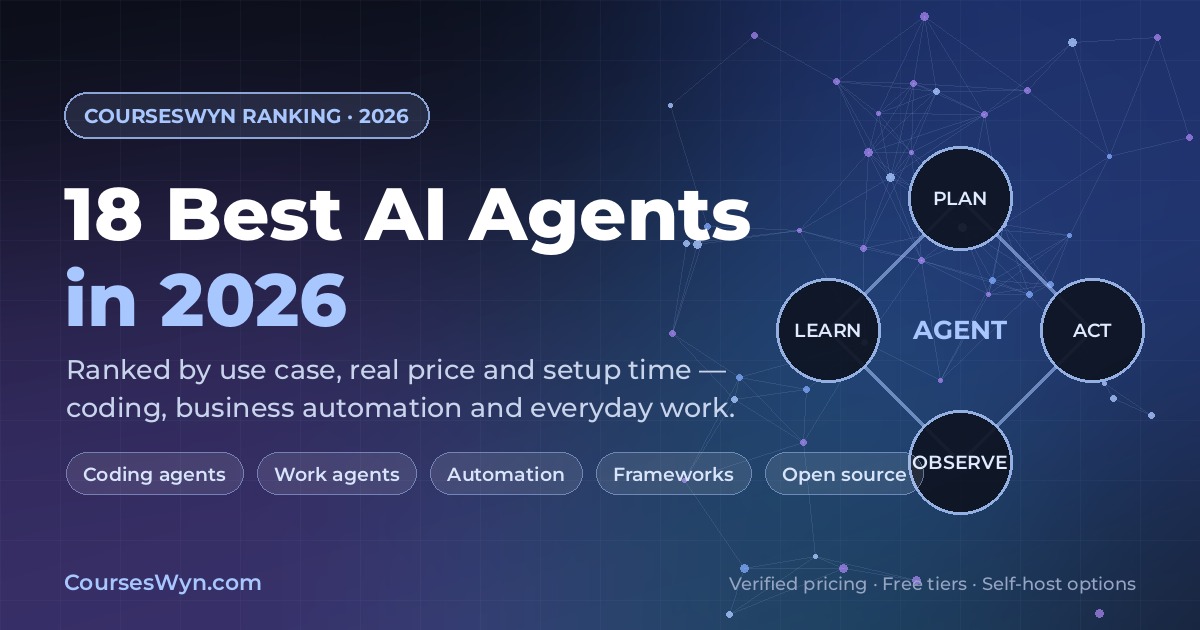
A chatbot responds to a prompt and stops. An agent runs a loop:
- Plan — decompose the goal into steps.
- Act — call a tool: read a file, run a shell command, query a database, open a browser, send a message.
- Observe — read the result and compare it against the goal.
- Repeat — adjust and continue until finished, then report back.
The model is only one part. The other parts are the tool registry (what it is allowed to touch), memory (context that survives between steps), an orchestrator (the loop, retries, handoffs and guardrails), and approval gates where a human signs off before anything irreversible happens.
Three things changed in 2026 that make agents practical rather than experimental:
- Context windows and planning got long enough for real tasks. Agents routinely work across dozens of files and multi-hour sessions instead of a single prompt.
- Tool protocols standardized. MCP became the default way agents discover and call tools, so one integration now works across Claude Code, Copilot, Cursor, n8n, Zapier and LangGraph.
- Agents moved into the interfaces people already use. The same agent logic now ships in a terminal, an editor, Word, Gmail, Slack and a workflow canvas — no new “AI app” to adopt.
How We Ranked These 18 Agents
Every agent was scored against the same five criteria, and pricing was checked against vendor pricing pages in October 2026:
| Criterion | What we looked for |
|---|---|
| Task completion | Does it actually finish multi-step work, or does it still need you to drive every step? |
| Cost clarity | Is there a usable free tier, and can you predict the monthly bill? |
| Setup time | How long before a real task runs: minutes (SaaS), an afternoon (self-hosted), or a sprint (framework)? |
| Integrations | Native connectors plus MCP support for the tools your team already runs. |
| Control & security | Scoped permissions, human approval steps, audit logs, data residency, self-host option. |
Vendors that publish a single clear list price are shown with a price. Vendors that quote per seat or per workload are marked “quoted” rather than given a made-up number.
The Best AI Agents in 2026, Ranked by Use Case
| # | Agent | Category | Free tier | Paid price | Self-host | Best for |
|---|---|---|---|---|---|---|
| 1 | Claude Code | Coding | No (paid plan required) | Included in Claude Pro, $17/mo annual | No | Deep, multi-file coding work |
| 2 | OpenAI Codex | Coding | Limited (ChatGPT Free) | Included with ChatGPT Plus & Pro | No | Parallel coding tasks in the cloud |
| 3 | GitHub Copilot | Coding | Yes (2,000 suggestions/mo + agent mode) | $10/mo Pro · $39 Pro+ · $100 Max | No | Best free coding agent + PR agents |
| 4 | Cursor | Coding | Yes (limited agent requests) | $8/mo Plus · $30/mo Premium | No | Agentic coding inside your editor |
| 5 | OpenCode | Coding | Yes (open source) | $0 (bring your own model key) | Yes | Free, provider-agnostic terminal agent |
| 6 | ChatGPT (Work) | Everyday work | Yes (limited on desktop) | Paid plans: Go, Plus, Pro | No | Broadest general-purpose work agent |
| 7 | Claude | Everyday work | Yes | $17/mo annual Pro · Max from $100/mo | No | Long documents, files, scheduled tasks |
| 8 | Microsoft 365 Copilot | Everyday work | No | Quoted per seat with your M365 plan | No | Word, Excel, Outlook, Teams agents |
| 9 | Gemini in Google Workspace | Everyday work | Yes (personal tier) | Included in Workspace Business/Enterprise | No | Gmail, Docs, Meet and Search |
| 10 | n8n | Automation | Yes (Community Edition, self-hosted) | €20/mo Starter · €50/mo Pro (annual) | Yes | Production agent workflows you own |
| 11 | Zapier Agents | Automation | Yes (400 activities/mo) | Agents from ~$33/mo annual | No | Fastest start across 9,000+ apps |
| 12 | Make | Automation | Yes (1,000 credits/mo) | Credit-based Core/Pro/Teams plans | No | Visual scenarios with branching logic |
| 13 | Microsoft Copilot Studio | Automation | Trial | Quoted (enterprise licensing) | No | Governed enterprise agents |
| 14 | LangGraph | Framework | Yes (open source) | LangSmith free · $39/seat Plus | Partly | Precise control over agent state |
| 15 | CrewAI | Framework | Yes (open source) | Enterprise quoted | Yes | Role-based multi-agent teams |
| 16 | AutoGen | Framework | Yes (open source) | $0 (Microsoft/Azure hosted options) | Yes | Conversational multi-agent research |
| 17 | OpenClaw | Open source | Yes (open source) | $0 self-hosted (optional cloud) | Yes | Always-on personal agent |
| 18 | AutoGPT | Open source | Yes (open source) | $0 self-hosted (hosted plan optional) | Yes | Experimental autonomous workflows |
Best AI Coding Agents in 2026
Coding is where agents deliver the clearest, fastest return — the feedback loop (tests, build, lint) gives the agent a way to check itself.
1. Claude Code — best overall coding agent
Anthropic’s terminal-first agent reads an entire repository, plans a change, edits across files, runs the test suite, and verifies its own work before handing it back. It operates in the terminal, VS Code and other IDEs, a desktop app, and the web, and it handles git directly: branches, commits, PRs.
- Price: included in Claude Pro ($17/mo billed annually, $20 month-to-month) and Claude Max ($100–$200/mo). Claude Code is not on the free tier.
- Best for: refactors and features that span many files, plus teams that want agent work reviewed through ordinary pull requests.
- Limit: usage caps mean long unattended runs can hit limits mid-task; complex repos need good project instructions (CLAUDE.md) and MCP servers for databases, browsers and docs.
- Extensibility: hooks, skills, plugins, sub-agents and MCP make it the most configurable coding agent here.
2. OpenAI Codex — best for parallel cloud tasks
Codex runs as an IDE extension, a CLI, a desktop app and a cloud service. You can dispatch several tasks at once — one agent fixing tests, another writing a migration — and review the results as diffs or pull requests.
- Price: limited access on ChatGPT Free; included with ChatGPT Plus and expanded on Pro.
- Best for: developers already living in the ChatGPT ecosystem, and for running background tasks while you work on something else.
- Limit: its cloud tasks are only as good as your task description; vague prompts produce diffs you spend longer reviewing than writing.
3. GitHub Copilot — best free tier and best PR workflow
Copilot is less a single product than an agent layer across GitHub: agent mode in supported editors, the Copilot CLI, a cloud agent that researches, plans and writes code for an issue, code review, and delegation to third-party coding agents (Claude, Codex) from the Pro+ tier up.
- Price: Free ($0) with 2,000 inline suggestions per month, agent mode, CLI and MCP support; Pro $10/mo; Pro+ $39/mo; Max $100/mo. Paid plans add AI credits that cover agent mode, code review and cloud agents.
- Best for: teams already on GitHub who want issue → branch → pull request without leaving their tracker, and anyone who wants a serious free agent.
- Limit: agent quality is tied to how well an issue is written, and heavy cloud usage consumes credits beyond the base allowance.
4. Cursor — best in-editor agentic coding
Cursor is an AI-native editor where the agent can search, edit files, run terminal commands and drive a browser, with the model of your choice. Cloud agents run in the background, and the Premium tier adds automations plus hosted code review.
- Price: Free (limited agent requests), Plus $8/mo, Premium $30/mo (cloud agents and automations), Super $100/mo, Ultra $200/mo; Teams from $30/user/mo.
- Best for: developers who want agents inside their daily editor rather than in a separate terminal.
- Limit: third-party model usage is billed at API list price on top of the subscription, so costs are easy to underestimate — set a spend cap.
5. OpenCode — best free, open-source terminal agent
OpenCode is an open-source, terminal-based coding agent that works with virtually any model provider — cloud APIs or local models. You keep your source, your keys and your data, and the agent stays out of a vendor’s UI.
- Price: free and open source; you pay only for the model usage you bring.
- Best for: developers who want a Claude-Code-style workflow without vendor lock-in, plus privacy-sensitive or air-gapped environments.
- Limit: you own setup and upgrades, model quality depends on your key, and there is no hosted support line.

Best AI Agents for Everyday Work
These are the agents non-technical professionals should start with: they plug into files, email, calendars and browsers, and they plan multi-step work on your behalf.
6. ChatGPT (Work mode) — most versatile general agent
ChatGPT’s Work mode turns a conversation into a delegated task: it researches, analyses spreadsheets, browses sites, drafts deliverables and runs scheduled tasks across desktop, web and mobile, with connectors into your business tools.
- Price: free tier with limited Work access on desktop; fuller access unlocks on paid individual plans (Go, Plus, Pro) and Business.
- Best for: people who want one agent for research, analysis, writing and light automation without learning a new tool.
- Limit: it is only as connected as your connectors — the moment a workflow spans a system it cannot reach, you need a dedicated automation tool.
7. Claude — best for long documents and files
Claude (the agent experience that grew out of Claude Cowork) takes an outcome — “a quarterly plan deck”, “a comparison of these three vendor contracts” — and delivers finished work across your files and connected apps, with scheduling and hand-offs.
- Price: free tier; Pro $17/mo with annual billing ($20 month-to-month); Max from $100/mo for heavy daily use. Claude Code is included from Pro up.
- Best for: knowledge work dominated by long documents, research synthesis and artifacts you need to edit afterward.
- Limit: usage limits are the main constraint at peak times, and the deepest capabilities (research, heavier automation) sit on paid tiers.
8. Microsoft 365 Copilot — best inside the enterprise stack
M365 Copilot puts agents inside Word, Excel, PowerPoint, Outlook and Teams: summarise a thread, draft from a document, analyse a spreadsheet, or run a business agent that connects to your tenant’s data with human oversight.
- Price: quoted per seat, licensed alongside Microsoft 365.
- Best for: organisations standardised on Microsoft 365 that need governance, tenant boundaries and admin controls.
- Limit: cost per seat adds up quickly across a large workforce, and value depends on how clean your tenant data and SharePoint permissions are.
9. Gemini in Google Workspace — best for Google-first teams
Gemini brings agent behaviour into Gmail, Docs, Sheets, Meet and Search — drafting, summarising meetings, pulling from Drive — and scales up into Vertex AI Agent Builder when you need production agents.
- Price: a free personal tier exists; within organisations it is included in Workspace Business and Enterprise plans.
- Best for: teams whose work already lives in Google Drive, Gmail and Meet.
- Limit: deep custom agent logic belongs in Vertex AI, which is a different (developer) product with its own costs.
Best AI Agents for Business Automation and Ops
This is where agents stop being assistants and become staff: they watch triggers, decide, act across SaaS systems, and escalate when something looks wrong.
10. n8n — best overall for agent automation you control
n8n is a visual workflow builder with a dedicated AI Agent node, MCP client and server support, human approval for tool calls, and code steps in JavaScript or Python when the canvas is not enough. It runs in the cloud or on your own server.
- Price: Community Edition is free to self-host; cloud Starter €20/mo and Pro €50/mo billed annually (2,500 and 10,000 workflow executions), Business €667/mo self-hosted, Enterprise quoted. Pricing is per execution of a whole workflow, not per step — unusually predictable.
- Best for: teams building production automation (lead routing, enrichment, reporting, ops alerts) who want to keep credentials and data in their own environment.
- Limit: you own the runtime when self-hosted (updates, queues, secrets), and complex branching workflows take real design discipline to keep debuggable.
11. Zapier Agents — fastest start across thousands of apps
Zapier pairs an agent product (teach it, talk to it, let it act across 9,000+ apps) with the largest connector library in the market, plus Zapier MCP so your other agents can call the same tools.
- Price: free tier with 400 agent activities per month (activities are billed separately from Zapier’s core task allowance); Pro starts around $33/mo billed annually for 1,500 activities. The core automation platform runs free at 100 tasks, with paid plans from about $20/mo.
- Best for: non-technical teams that need something live this afternoon across standard SaaS.
- Limit: costs scale with usage rather than scope — a busy agent burns activities fast, and advanced AI steps are metered separately.
12. Make — best for visual scenarios with branching logic
Make’s scenario canvas gives you branching, routing, iterators and error handlers with an AI assistant (Maia), AI agents, and an MCP server — all on a credit-based billing model.
- Price: free plan with 1,000 credits per month; paid Core, Pro and Teams plans scale with monthly credits (credits replaced operations as the billing unit in August 2026).
- Best for: data-heavy flows where you can see every branch and transformation on one screen.
- Limit: per-action credit consumption makes budgeting harder than n8n’s per-execution model, and heavy AI steps consume credits faster than plain modules.
13. Microsoft Copilot Studio — best for governed enterprise agents
Copilot Studio is where enterprises build custom autonomous agents that connect to Microsoft 365, Dynamics, Dataverse and external systems, with channels, authentication, analytics and human hand-off built in.
- Price: quoted through Microsoft licensing (trial available).
- Best for: regulated organisations that must prove who approved what, where data lives, and which agent touched which record.
- Limit: it is enterprise software: procurement, licensing and per-message costs mean it is not the place to prototype a hobby project.
Best Frameworks to Build Your Own Agents
Choose a framework when you need behaviour no off-the-shelf product offers: custom tools, private data paths, specific compliance rules, or a product feature powered by an agent.
14. LangGraph — best control over agent state
LangGraph models an agent as a graph: explicit nodes, state, conditional edges, checkpoints and human-in-the-loop interrupts. It is the framework of choice when you must know exactly what happens next — and be able to pause, resume or rewind.
- Price: LangGraph is free and open source; the LangSmith platform (tracing, evals, deployment) is free at the Developer tier (5k traces/mo) and $39/seat/mo on Plus, with Enterprise and self-hosted options.
- Best for: production agents with approval steps, retries and auditable state transitions.
- Limit: a graph is more code than a prompt chain — expect to design state schema and evaluation before you get reliability.
15. CrewAI — best for role-based multi-agent teams
CrewAI assigns agents roles, goals and backstories, then lets them collaborate through a process — research, draft, critique, approve — with Flows for deterministic control when you need it.
- Price: the framework is open source and free; CrewAI’s enterprise control plane is quoted.
- Best for: multi-step pipelines where different “specialists” should hand work to each other.
- Limit: role-play framing can hide fragile orchestration; without evaluations, a crew that sounds convincing may still be wrong.
16. AutoGen — best for conversational multi-agent research
AutoGen (and Microsoft’s broader Agent Framework direction) centres on agents that solve problems by talking to each other, with human-in-the-loop participation, termination conditions and state persistence.
- Price: free and open source; hosted options available through Azure.
- Best for: research, simulation and internal tooling where iteration between agents produces the value.
- Limit: open-ended conversation loops can run long and cost more than a strictly graphed workflow.
Also worth a look if you want a visual builder rather than code: Dify (open-source LLM app and agent builder with a hosted cloud), Flowise for drag-and-drop chains, and LangChain itself for quick starts with any model provider.
Best Open-Source and Self-Hosted Agents
17. OpenClaw — best always-on personal agent
OpenClaw is an open-source, self-hosted agent that lives on your machine or VPS and works through messaging apps, a browser and local files: it executes commands, manages files, and connects to external tools and models around the clock.
- Price: free and open source (optional hosted cloud plans exist); you pay only for the model you connect.
- Best for: technical users who want a private, always-available assistant that can reach their own systems.
- Limit: an agent with shell access and 24/7 uptime is a security project. Harden SSH, firewall the host, scope credentials, and review every skill you install before enabling it.
18. AutoGPT — best for experimenting with autonomous loops
AutoGPT is the open-source platform for building, deploying and running autonomous agents with external tools, APIs and reusable workflows — the project that first made “an AI that keeps working on its own” mainstream.
- Price: open source and free to self-host (hosted plans and model API costs are extra).
- Best for: prototyping multi-step autonomous behaviour and learning the moving parts of an agent runtime.
- Limit: autonomy without a strong objective and guardrails produces busywork; treat it as a lab, not a production service.
What You Will Actually Pay
Sticker prices are easy to find; total cost is what people get wrong. Three realistic stacks, priced from the vendor pages verified above (excluding taxes):
| Stack | Approx. monthly cost | What it includes |
|---|---|---|
| $0 starter | $0 + model usage | GitHub Copilot Free (agent mode), OpenCode with free/local models, ChatGPT free tier, n8n Community Edition self-hosted, Zapier free (100 tasks + 400 agent activities) |
| Solo professional | ~$40–70/mo | Claude Pro ($17) or ChatGPT Plus, plus one coding agent (Copilot Pro $10 or Cursor Plus $8), plus n8n Starter (€20) for automations |
| Power user | ~$100–200/mo | Claude Max or ChatGPT Pro tier, Cursor Premium ($30) with cloud agents, Copilot Pro, n8n Pro (€50) |
| Small team | Per seat | Microsoft 365 Copilot or a team AI plan per seat, Copilot Pro for engineers, n8n Pro for shared workflows |
| Enterprise | Quoted | Microsoft 365 Copilot + Copilot Studio, n8n Business/Enterprise, self-hosted models and audit tooling |
Two cost traps to avoid:
- Metered usage beats sticker price. Zapier bills agent activities, Make bills credits, n8n bills executions, and coding agents bill AI credits beyond the included allowance. Model the volume before you commit.
- Stacking assistants is redundant. ChatGPT and Claude and Microsoft 365 Copilot rarely triples your output. Pick one personal assistant, one coding agent, one automation tool — add a framework only when you are building product.
How to Choose the Best AI Agent for Your Needs
Run through these six questions in order. The first answer that fits wins; do not let feature lists override it.
- What is the actual task? Writing code, generating a report, moving data between SaaS, or embedding an agent in your product. Each maps to a different category above.
- Where does the work live? If your team lives in Microsoft 365, start there. If it lives in GitHub, start with Copilot. If it lives in Google Workspace, start with Gemini.
- What skill level is realistic? No-code: Zapier, Make, n8n, ChatGPT. Comfortable with a terminal: Claude Code, Codex, OpenCode. Building product: LangGraph, CrewAI, AutoGen.
- What is the blast radius? Read-only research is low risk. Sending email, pushing code or writing to production is not. Match the tool’s approval features to the damage a bad run can do.
- What is the real budget? Include metered overages and API keys, not just the subscription.
- Do you need the data to stay in-house? If yes, self-host from the start: n8n, OpenClaw, AutoGPT, OpenCode, or your own LangGraph deployment.
| Your situation | Start with | Add later |
|---|---|---|
| Developer who wants code shipped | Claude Code or GitHub Copilot | MCP servers, a second cloud agent for background tasks |
| Non-technical operator | ChatGPT or Claude for tasks, Zapier Agents for triggers | n8n when a workflow becomes business-critical |
| Analyst / ops team | n8n + a spreadsheet-capable assistant | Copilot Studio if you are a Microsoft shop |
| Product team building an agent feature | LangGraph | LangSmith for tracing, evals and deployment |
| Privacy-first or regulated team | Self-hosted n8n + OpenClaw + local models | LangGraph in your own VPC |
| Founder validating an idea | Free tiers only (Copilot Free, Zapier, n8n) | Paid tiers once a workflow earns money |
How to Use AI Agents in Your Workflow (6 Patterns)
Tools matter less than wiring them into a repeatable loop with a checkpoint. Six patterns cover most of the value:
1. Code without losing review. Give the agent an issue, not a vibe. Let it open a branch, run tests, and open a pull request; humans still review. Checkpoint: no direct commits to main.
2. Research to deliverable. Ask for a deliverable with a format and a deadline — “a 1-page brief with 5 sources, table of competitors, saved to /briefs”. Checkpoint: agent must cite sources; you verify three of them.
3. Ops hand-offs. Trigger (new form fill) → enrich → classify → route to the right owner → log outcome. Checkpoint: approval gate before anything customer-facing is sent.
4. Inbox and meetings. Summarise, extract action items, draft replies, schedule follow-ups. Checkpoint: drafts only — you press send.
5. Content pipeline. Pull analytics → draft an outline → produce a first pass → human edits → schedule. Checkpoint: originality and factual review before publishing.
6. Support triage. Classify tickets, search the knowledge base, draft a response, escalate anything uncertain. Checkpoint: auto-close is off until your deflection rate is stable.
The rule that makes all six safe: the agent proposes, a human approves anything irreversible. Start with one workflow, run it for two weeks, measure time saved, then expand.
Agent Security Checklist Before You Go Live
Skip this section and an agent becomes the easiest breach you have ever shipped. Work through it before the first production run:
- Least privilege by default. Scoped, read-only credentials first. Expand only when a task genuinely needs more.
- Human approval for writes. Sending, publishing, deleting, paying and deploying always go through a person.
- Secrets in a vault, never in prompts. Rotate anything an agent has seen; log which credential was used for each action.
- Sandbox the first run. Test workspace, staging environment or a scratch branch — never production on day one.
- Audit logs for every tool call. If you cannot answer “what did it do, when, and with whose permission?”, you cannot incident-respond.
- A kill switch. One command, one button that stops the agent and revokes its tokens.
- Defend against prompt injection. Anything an agent reads (web pages, PDFs, tickets, email) is untrusted input. Use tool allowlists and treat instructions found in data as hostile.
- Know where your data lives. Cloud SaaS, EU region, or your own server — that answer must exist before procurement signs.
- Patch and review. Self-hosted agents (OpenClaw, n8n, AutoGPT) need updates and a review of every skill, node or plugin you install.
5 Mistakes That Waste Your Money on AI Agents
- Picking by hype instead of by task. The “best” agent for someone else is often the wrong category for you.
- Skipping evaluation. Write down five real tasks and what success looks like, then test every candidate against them.
- Granting broad access too early. Start read-only; widen permissions only after two weeks of clean runs.
- Ignoring metering. An agent that “costs $10” can quietly burn $200 in activities, credits or AI credits. Set hard caps.
- Automating a broken process. If the workflow is unclear for a human, it will be unclear — and expensive — for an agent.
How to Learn to Build AI Agents: 15 Verified Courses
Using an agent is a daily win. Building one is a career skill. These 15 Udemy courses map directly to the 18 tools above — five are picked out below, ten more are in the table. Ratings, student counts and coupon prices are read straight from our coupon database and were re-checked in October 2026: list prices run $149.99–$199.99, active coupons $9.99–$12.99. (A 16th pick, Claude Code — The Practical Guide, is embedded inside the coding section above.)
Best all-rounder: AI Engineer Agentic Track: The Complete Agent & MCP Course — ⭐ 4.7 (404,000+ students). Multi-framework coverage (CrewAI, LangGraph, AutoGen, MCP) with production projects.

Best for no-code automation: AI Builder: Create Agents, Voice Agents & Automations in n8n — ⭐ 4.8 (40,000+ students). Build autonomous agents and voice agents in n8n without code.

Best for coding agents: GitHub Copilot — The Complete Guide — ⭐ 4.6 (83,000+ students). Master agent mode, the CLI and MCP inside your existing dev workflow.

Best for enterprise agents: Microsoft Copilot Studio — ⭐ 4.6 (51,000+ students). Build governed agents across Microsoft 365 and Dataverse.

Best for self-hosted agents: OpenClaw: Run Powerful & Autonomous AI Agents Securely — ⭐ 4.7 (9,000+ students). Deploy a private 24/7 agent locally, in Docker or on a VPS — with hardening.

Ten more courses, matched to the tool it teaches
All fifteen are available with active coupons at $9.99–$12.99. Browse all verified AI coupons, today’s deals, or popular courses.
Frequently Asked Questions
What is the best AI agent overall in 2026?
For writing and shipping code, Claude Code is the strongest all-around agent: it reads an entire repository, edits across files, runs tests and handles git from the terminal, IDE, desktop or web. For non-developers, ChatGPT (Work mode) is the most versatile. For business automation without code, n8n offers the best balance of power, price and self-hosting.
What is the best free AI agent?
GitHub Copilot has the best free tier — 2,000 inline suggestions per month plus agent mode, the Copilot CLI and MCP support. OpenCode and AutoGPT are fully free open-source agents you self-host with your own model key, n8n Community Edition is free to self-host, and Zapier includes 400 agent activities per month at no cost.
Which AI agent is best for beginners with no coding skills?
Start with ChatGPT or Claude for day-to-day work, then move repetitive processes into Zapier Agents or Make, which are drag-and-drop. If you want one visual builder that grows into production automation, n8n is the best learning investment: no-code by default, with JavaScript and Python available when you need them.
How much does an AI agent cost per month?
A capable solo setup runs roughly $20 to $60 per month: one personal assistant plan plus one coding or automation tool. Individual coding agents range from $8 to $10 per month (Cursor Plus, GitHub Copilot Pro) up to $30 to $100 per month for cloud agents. Enterprise platforms such as Microsoft Copilot Studio and Microsoft 365 Copilot are quoted per seat.
Can I run an AI agent locally without sending data to the cloud?
Yes. OpenCode, AutoGPT, n8n Community Edition and OpenClaw are open source and self-hostable, and each can be pointed at a local model through Ollama or another local runtime. The trade-off: you own patching, secrets management, sandboxing and network isolation, so self-hosting suits teams with security skills.
What is the difference between an AI agent and an AI chatbot?
A chatbot answers one prompt and stops. An agent runs a loop — plan, act with a tool, observe the result, repeat — until the goal is reached. That loop is what lets an agent open a pull request, reconcile an invoice or research a market instead of describing how you could do it yourself.
Do AI agents support MCP (Model Context Protocol)?
Most tools in this ranking do. MCP is the open standard for connecting agents to tools and data sources, supported in some form by Claude Code, GitHub Copilot, Cursor, ChatGPT connectors, n8n, Zapier, Make, LangGraph and Copilot Studio. Choosing MCP-compatible tools means the integrations you build once can move between products.
What is the safest way to give an AI agent access to my systems?
Use least privilege: scoped read-only credentials first, human approval for any write or send action, secrets kept in a vault rather than in prompts, and a log of every tool call. Start in a sandbox or test workspace, turn on audit logs, define a kill switch, and never grant production payment or irreversible deletion rights.
Related Resources
- Best Udemy Agentic AI Courses 2026 — the full ranked list of agent-building courses
- Best Claude Code Courses on Udemy — master the top coding agent
- Best n8n Courses 2026 — build no-code agent workflows
- Best MCP Courses 2026 — the tool protocol every agent uses
- What Is MCP? Guide to Agentic AI — how agents connect to your stack
- OpenClaw Courses on Udemy — self-hosted, always-on agents
- AI Engineer Roadmap 2026 — the learning path behind these tools
- All verified Udemy coupons · Today’s deals · How we test and verify coupons
Prices were verified against vendor pricing pages in October 2026 and can change without notice. Some links on this page are affiliate links — see our affiliate disclosure.